Welcome to RVForums.com

  • Register now and join the discussion
  • Friendliest RV Community on the web
  • Modern site for PC's, Phones, Tablets - no 3rd party apps required
  • Ask questions, help others, review campgrounds
  • Get the most out of the RV Lifestyle
  • Invite everyone to RVForums.com and let's have fun
  • Commercial/Vendors welcome

Camper and rv'er for 60 plus year's. 3 motor homes, 5th wheel, ttrailer and tents.

Welcome to our community

  • Register now and join the discussion
  • Modern secure site, no 3rd party apps required
  • Invite your friends and let's have fun
  • Commercial/Vendors welcome
  • Friendliest RV community on the web
tprv2026

RVF Regular
Joined
May 9, 2026
Messages
7
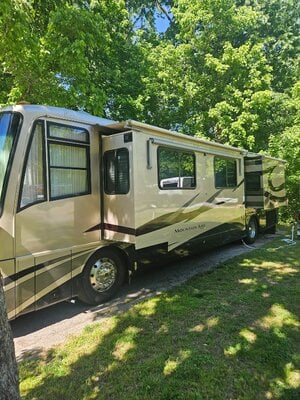
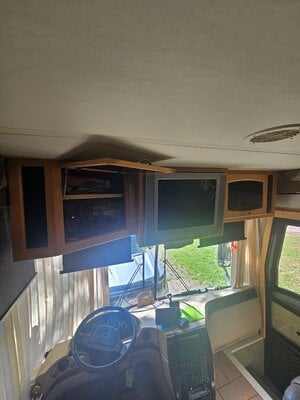
Owner of 2004 Newmar Mountain Aire 4018. Had for 14 year's trying to upgrade front tv can't figure out how to remove it. Did rear and center.
 

Attachments

  • 20260509_155632.jpg
    20260509_155632.jpg
    3.1 MB · Views: 0
Owner of 2004 Newmar Mountain Aire 4018. Had for 14 year's trying to upgrade front tv can't figure out how to remove it. Did rear and center.
Welcome aboard. I can't help you with your TV issue but I'm sure someone here will have your answer.
 
Welcome!

I removed/rebuilt my front TV cabinet in a 2006 Ventana. Access from the back of the cabinet - or at the front of the RV between the windshield and the cabinet - was the key to unbolting the TV from the board to which the TV was secured. I can't be sure that what I took apart was the original, it looked a bit amateurish, but see if looking at it from that end of the cabinet helps.

Good luck with it,

Greg.
 
Thanks, dear Newmar put a mesh screen across entire rear access it too has no screws for removal. Going to get a remote borescope camera and hopefully find something.
 
I remember the screen now that you mention it. My screen was already partially removed or bent in half - don't remember exactly, except that it was a vicious arm trap that I was glad to be rid of. I do remember cutting out what was left of the screen, and then removing it completely once I got the TV out of the way and discovered how the screen was attached. I added a light board to the back of the cabinet at the end of my rebuild.

Greg.
 
Considering cutting it out. Will try borescope view first before destruction access. The front wood bezel trim has no apparent screws not even plugged or covered types. Guess they forget having to work on things after windshield and everything in place. Thanks for the input mesh is probably glued on this as well.
 
Looking down the narrow gap at front that maybe tv held by metal L brackets at rear by mesh screen to release TV to come out. Will get the mesh screen reviewed and out on my return home. Presume TV will slide out with wood bezel staying in place.
 
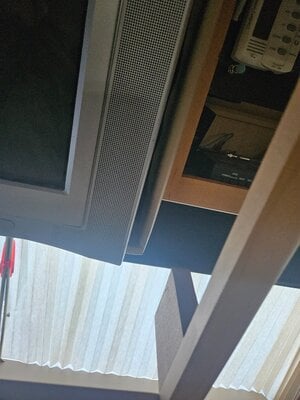
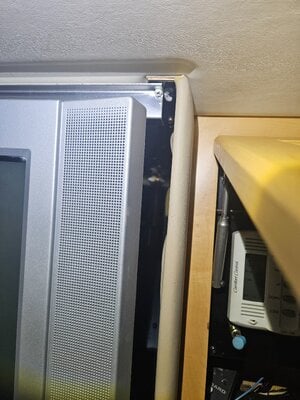
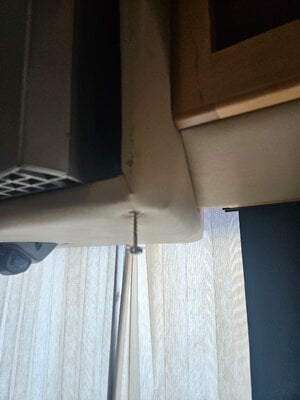
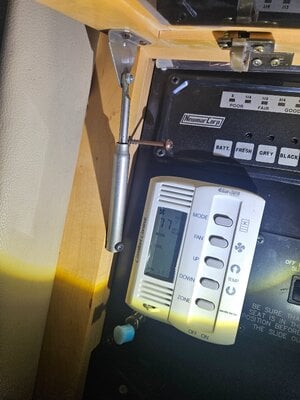
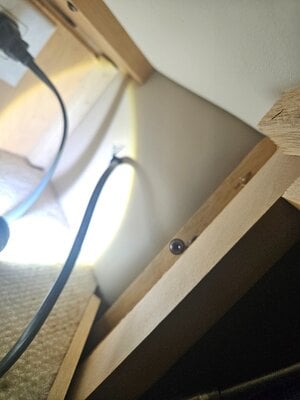
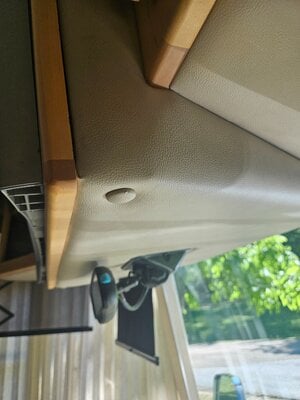
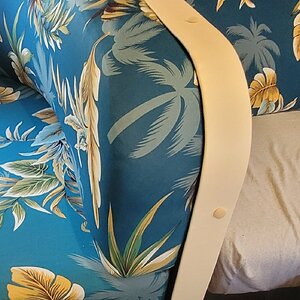
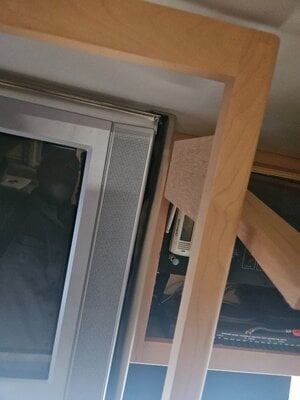
Made some progress. Front wood bezel held on by 4 screws. 2 are the upholstery snap off button covered padded surround under with rear view mirror area. 2 other inside electronic compartments left/right the all are set back and wood bezel has extension blocks that give them a holding point. Bezel was very tight on TV frame but works off. See aluminum bracket on top of TV is at least part of retaining. Will find that later when ready to hefty out the TV. The L brackets in rear now don't appear to connect but will update after I am ready to pull the CRT.

My bezel definitely was tight to TV but did slide off.
 

Attachments

  • 20260509_184720.jpg
    20260509_184720.jpg
    2.3 MB · Views: 0
  • 20260509_184716.jpg
    20260509_184716.jpg
    2.5 MB · Views: 0
Photos phase 1 bezel removal
 

Attachments

  • 20260509_184544.jpg
    20260509_184544.jpg
    2.2 MB · Views: 0
  • 20260509_184225.jpg
    20260509_184225.jpg
    1.8 MB · Views: 0
  • 20260509_184202.jpg
    20260509_184202.jpg
    1.8 MB · Views: 0
  • 20260509_184131.jpg
    20260509_184131.jpg
    1.5 MB · Views: 0
  • 20260509_160418.jpg
    20260509_160418.jpg
    1.5 MB · Views: 0
  • 20260509_160357.jpg
    20260509_160357.jpg
    1.4 MB · Views: 0

Latest resources

Back
Top Bottom