
turbopilot
RVF Supporter
- Joined
- Nov 2, 2019
- Messages
- 979
- Location
- Prescott, AZ
- RV Year
- 2026
- RV Make
- LightShip
- RV Model
- Turbo Edition
- RV Length
- 27
- Engine
- Electric
- TOW/TOAD
- 2025 Ford F-150 PowerBoost HEV, 7.2 kW Propower Generator
- Fulltimer
- No
Got a little off topic over on the Evotrex forum with a discussion about the LightShip Telematics System. Telematics systems have been common in automotive applications for at least 10 years. But the concept is new for RV's.
First lets define Telematics in mobile applications:
Telematics in automotive applications refers to the integration of telecommunications and informatics (information technology) to enable the collection, transmission, storage, and analysis of data from vehicles.It primarily involves using onboard devices—such as a Telematics Control Unit (TCU) or "black box"—connected to GPS, sensors, and cellular networks to monitor and communicate vehicle information in real time.
The discussion arose over on the Evotrex forum when a participant asked about Starlink integration in the Lightship. Starlink integration is part of the Telematics system. Here is the exchange:
@turbopilot -
@Rory (Lightship Team) this was information I got from Ben last April. Let us know if it has changed or if I got anything wrong.
@Rory (Lightship Team) :
That's spot on, @turbopilot ... the customer won't see/interact with the system as you just described it, but were a customer to setup a starlink device, our vehicle systems could switch over to that starlink system, which may be beneficial for over the air updates etc in terms of speed.
More directly obvious for the customer is this:
- Some starlink setups (like starlink standard model) come with a separate modem/router that need to be kept out of the elements and still wired to an external starlink dish. To make this easy, the Lightship comes with a build in tray under the dinette bench where the customer can a) store the modem/router b) plug in the modem/router to 120V power and c) connect the modem/router to a pre-wired ethernet cable. The ethernet cable accessible in that location then wraps through the internals of the vehicle and connects to the port on the tongue box that turbopilot describes. from there you can plug in the external dish with an ethernet cable to connect the whole system, and position the dish externally to maximize signal.
- other starlink setups (like the starlink mini), come with the modem/router integrated into the dish. in this case, all that is needed is to position the dish externally and plug it in to the 120V outlet on the tongue box for power.
@PhatDaddy does that answer your question? true "integration" is hard to achieve since customers bring their own hardware and starlink subscriptions, and may not be optimal since positioning the dish externally is a benefit for signal.
@Rory (Lightship Team) :
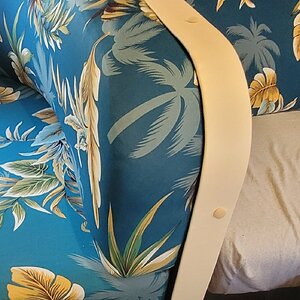
Here is that area on @turbopilot ´s VIN. Tray, Ethernet, 120V. Plastic on cushions to keep them fresh ahead of delivery! We'll do a thorough clean and detail (exterior/interior) before delivery so please ignore the dust.


So that explains the Starlink input to the LightShip Telematics system. The Telematics system module is located under the seat in back of the hot water heater. Here is what I think is the module sitting in the hot water pan before installation. (Rory correct if wrong)

This module connects to the 6 Canbus body control modules in the LightShip. It takes WiFi input/output to the Atlas tablet to control those modules. It also allows LightShip to update the various body controller modules and troubleshoot issues remotely. When something is not working a LightShip technician can remotely log into your LightShip and see. where the problem is.
Anyone who has owned an RV knows how revolutionary this capability will be for solving problems far from the mothership.
What I don't know is whether the owner will be able to remotely monitor the LightShip systems and cameras via the telematics module. Hopefully @Rory (Lightship Team) can give us some more detail on the capability.
First lets define Telematics in mobile applications:
Telematics in automotive applications refers to the integration of telecommunications and informatics (information technology) to enable the collection, transmission, storage, and analysis of data from vehicles.It primarily involves using onboard devices—such as a Telematics Control Unit (TCU) or "black box"—connected to GPS, sensors, and cellular networks to monitor and communicate vehicle information in real time.
The discussion arose over on the Evotrex forum when a participant asked about Starlink integration in the Lightship. Starlink integration is part of the Telematics system. Here is the exchange:
@turbopilot -
I'll tell you what I know about LightShip Starlink integration and Rory can expand. I was told LightShip has a built in cellular router. The cellular connection if for LightShip support, not customer communication but it does have WiFi that can be used. There is also a built in WAN port on the device that is wired to the AeroHub ethernet port. That is where a Starlink connection would be plugged in. The Atlas tablet system communicates over WiFi to that same cellar router WiFi connection then interfaces with the LightShip CANBUS body controllers.What does it mean on the LightShip or other RVs?
@Rory (Lightship Team) this was information I got from Ben last April. Let us know if it has changed or if I got anything wrong.
@Rory (Lightship Team) :
That's spot on, @turbopilot ... the customer won't see/interact with the system as you just described it, but were a customer to setup a starlink device, our vehicle systems could switch over to that starlink system, which may be beneficial for over the air updates etc in terms of speed.
More directly obvious for the customer is this:
- Some starlink setups (like starlink standard model) come with a separate modem/router that need to be kept out of the elements and still wired to an external starlink dish. To make this easy, the Lightship comes with a build in tray under the dinette bench where the customer can a) store the modem/router b) plug in the modem/router to 120V power and c) connect the modem/router to a pre-wired ethernet cable. The ethernet cable accessible in that location then wraps through the internals of the vehicle and connects to the port on the tongue box that turbopilot describes. from there you can plug in the external dish with an ethernet cable to connect the whole system, and position the dish externally to maximize signal.
- other starlink setups (like the starlink mini), come with the modem/router integrated into the dish. in this case, all that is needed is to position the dish externally and plug it in to the 120V outlet on the tongue box for power.
@PhatDaddy does that answer your question? true "integration" is hard to achieve since customers bring their own hardware and starlink subscriptions, and may not be optimal since positioning the dish externally is a benefit for signal.
@Rory (Lightship Team) :
Here is that area on @turbopilot ´s VIN. Tray, Ethernet, 120V. Plastic on cushions to keep them fresh ahead of delivery! We'll do a thorough clean and detail (exterior/interior) before delivery so please ignore the dust.
So that explains the Starlink input to the LightShip Telematics system. The Telematics system module is located under the seat in back of the hot water heater. Here is what I think is the module sitting in the hot water pan before installation. (Rory correct if wrong)
This module connects to the 6 Canbus body control modules in the LightShip. It takes WiFi input/output to the Atlas tablet to control those modules. It also allows LightShip to update the various body controller modules and troubleshoot issues remotely. When something is not working a LightShip technician can remotely log into your LightShip and see. where the problem is.
Anyone who has owned an RV knows how revolutionary this capability will be for solving problems far from the mothership.
What I don't know is whether the owner will be able to remotely monitor the LightShip systems and cameras via the telematics module. Hopefully @Rory (Lightship Team) can give us some more detail on the capability.