Welcome to RVForums.com

  • Register now and join the discussion
  • Friendliest RV Community on the web
  • Modern site for PC's, Phones, Tablets - no 3rd party apps required
  • Ask questions, help others, review campgrounds
  • Get the most out of the RV Lifestyle
  • Invite everyone to RVForums.com and let's have fun
  • Commercial/Vendors welcome

Pepwave MAX-BR1-MK2

Welcome to our community

  • Register now and join the discussion
  • Modern secure site, no 3rd party apps required
  • Invite your friends and let's have fun
  • Commercial/Vendors welcome
  • Friendliest RV community on the web

Chuggs

RVF Supporter
Joined
Nov 3, 2019
Messages
607
RV Year
2016
RV Make
Newmar
RV Model
Ventana 4037
RV Length
40’
TOW/TOAD
Jeep JKU
We have enjoyed using the Pepwave in our Ventana for ??? years now. We still use an AT&T (old connected car "Mobley" sim) for 4g on the road. And we redirect to our home wifi when at home. We added a STARLINK gen 3 a couple of summers ago for use when traveling.

I am having a devil of a time making STARLINK play nice on our Pepwave Coach network. I have used WAN cabling, I have used redirect WIFI. We wind up crashing or getting 8MBPS when the STARLINK tests alone at over 130MBPS. I am not very savvy at these networking devices...but surmise that the newer Firmware would help....but mine shows nothing available for it beyond 8.3.0

Does Pepwave just stop supporting older units at some point?

Does anyone else with an older Pepwave, and STARLINK know of a configuration that I may be missing?

I would really like to be able to connect the WAN cable to the Pepwave, and get FAST uninterrupted STARLINK service over it. WE are tired of having to constantly fiddle just to stream TV service. Kinda expect more than just emails for $165 / month.

Thanks for any enlightening thoughts you can share.
 
Yes, Peplink stops pushing firmware after a period of time for older units. I just bought 2 x Pepwave BR1 5G Pro (K model) to replace my original BR1 5G units which work great, but i want to see how the new 5G chip compares. So I will be selling my 2 x BR1 Pro 5G's as soon as I hit the road and swap them out (hopefully February). They are up to date with the latest firmware. I'll post on the classifieds when that time comes. I'm guessing I'll sell them for $500ea.

I use Starlink in the above Pepwave's but I think it should be no different than what you have. I do not use WiFi from Starlink. My last used Starlink setup is using the Gen2 dishy with router and I use the ethernet adapter to connect from the WiFi router to the Pepwave. I now have Gen3 Standard wired in the coach but I have not used it yet. I have a post here about my PoE connection so the router is out of the equation with Gen3, it's dish to PoE to Pepwave. Again, this is ultimately moot, the only relevant item here is connecting Starlink to Pepwave via the WAN port and turning off Wi-Fi in the Starlink router as you're using Pepwave's Wi-Fi.

There is nothing required at the Pepwave side although newer models do have more Starlink functionality integrated. You are simply taking an Ethernet cable, like at home, with an Internet source, and plugged it into the WAN port and the Pepwave can use that as a source of Internet (external provider).

Make sure your cellular sources are in standby or disabled, your WAN source is in Priority 1.

That's really all there is to it. You can try fiddling with the network config, I don't have a screenshot of my setup handy as I'm not in the coach, but I use custom DNS (1.1.1.1 / 8.8.8.8) providers and don't remember my other settings but out of the box should be fine.

I'm not sure how far of a run your Ethernet is using but you could try CAT 6 (or better) cable and see if that makes any difference.
 
I retired my Pepwave Max-BR1-MK2 about a year ago and replaced it with a

GL.iNet GL-X3000 (Spitz AX) cellular router​

Amazon.com

For what I need it works well and I haven't had any issues with it working with Starlink. It is also cheaper than a new Pepwave.
 
I don't think the router is the issue. The one main difference in the older Pepwave and the BR1 Pro 5G's is the Wi-Fi spec. This is one of the top reasons I upgraded to the BR1 Pro 5G - for the Wi-Fi 6. If you don't need cellular, any Wi-Fi router would work. But like you I also still use the AT&T Mobley, which is not 5G, only LTE-A, but you can't beat unlimited Internet for $23/mo now 7+ years later after it was offered. I use the Mobley in my BR1 Pro 5G as well. Works great.
 
Neal, I was wondering just that. If the new models are backwards compatible to 3g LTE-A.

We typically repeat our home wifi network until we are traveling...switch to Mobley for on the road driving...then switch to Starlink unless it isn't worth paying the full month for only a few days usage.

I was under the impression the newer firmware had some specific Starlink panel to control more of the Starlink setting via the pepwave interface. Maybe just fluff.
 
Yes, the older SIM's work fine but realize when going to the newer Peplinks they only support nano sim cards so you have to use a SIM cutter to turn your mobley sim into the nano size. You must hold your breath during this process, but it does work :) I assume your Mobley sim has a sim pin required from the latest firmware years ago that forced this. You will need to input the SIM pin in the Pepwave as you probably already know.

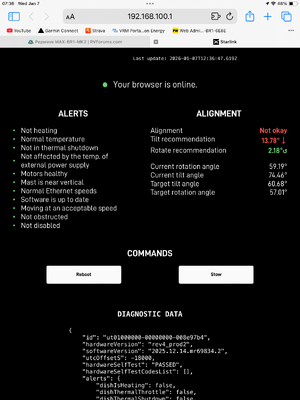
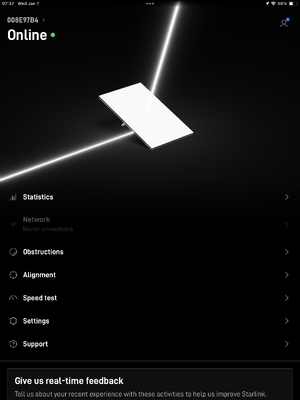
I'm not smart on the Starlink integrations but I think the Pepwave just receives information from the Starlink such as obstruction data, not sure. I did a quick google but didn't find much of interest. You could email 5GStore.com or MobileMustHave.com if desired. You can always use the Starlink app to get the real deal and control it. I don't have any experience with Gen3 yet. I also have the Mini that stays in the car.

 
Try putting a small 5 port gigabit speed switch in line between the Starlink and the peplink device. There are some older peplink devices that used an older ethernet port with firmware that could not negotiate the high-speed connection from the Starlink. Known issues with several older models and documented on their support blogs.
 

Latest resources

Back
Top Bottom